



Tinder verification in the UK starts with the in-app video-selfie flow for Photo Verified status. UK age assurance is active for accounts Tinder asks to complete it. It is a separate check that uses a clear face photo to estimate whether you meet Tinder's minimum age requirement, so follow the live instructions in your app.
Tinder Verification UK: Key Takeaways
- Photo Verified uses a video selfie: Complete Tinder's in-app video prompts rather than uploading an existing profile photo.
- UK age assurance applies when prompted: Submit a clear face photo for the age check. Tinder may request an ID only if it needs additional verification.
- Make a clean submission: Use good light, a clear camera lens and recent profile photos that resemble your live selfie.
- If review stalls: Check the app and email for instructions, then contact Tinder support if the status remains unresolved.
What Does Tinder Verification Mean in the UK?
Tinder verification in the UK is not one universal badge or one fixed process. Photo Verified status comes from a video selfie. Age assurance is active for accounts Tinder prompts to complete it, and any ID request is a separate, conditional step. Complete the route shown in the app rather than assuming an ID upload unlocks a particular badge.
| Verification route | What the user does | What it is designed to confirm | What to expect |
|---|---|---|---|
| Photo Verified (video selfie) | Take a video selfie | That the live selfie matches clear solo photos on the profile | A Photo Verified badge after Tinder's review |
| Age assurance in the UK | Provide a clear face photo when Tinder prompts the account | Whether the user meets Tinder's minimum age requirement | An active check for affected accounts. Tinder may request an ID only if it needs additional verification |
The Strategic Advantage: Why Verification Gives You an Unfair Edge
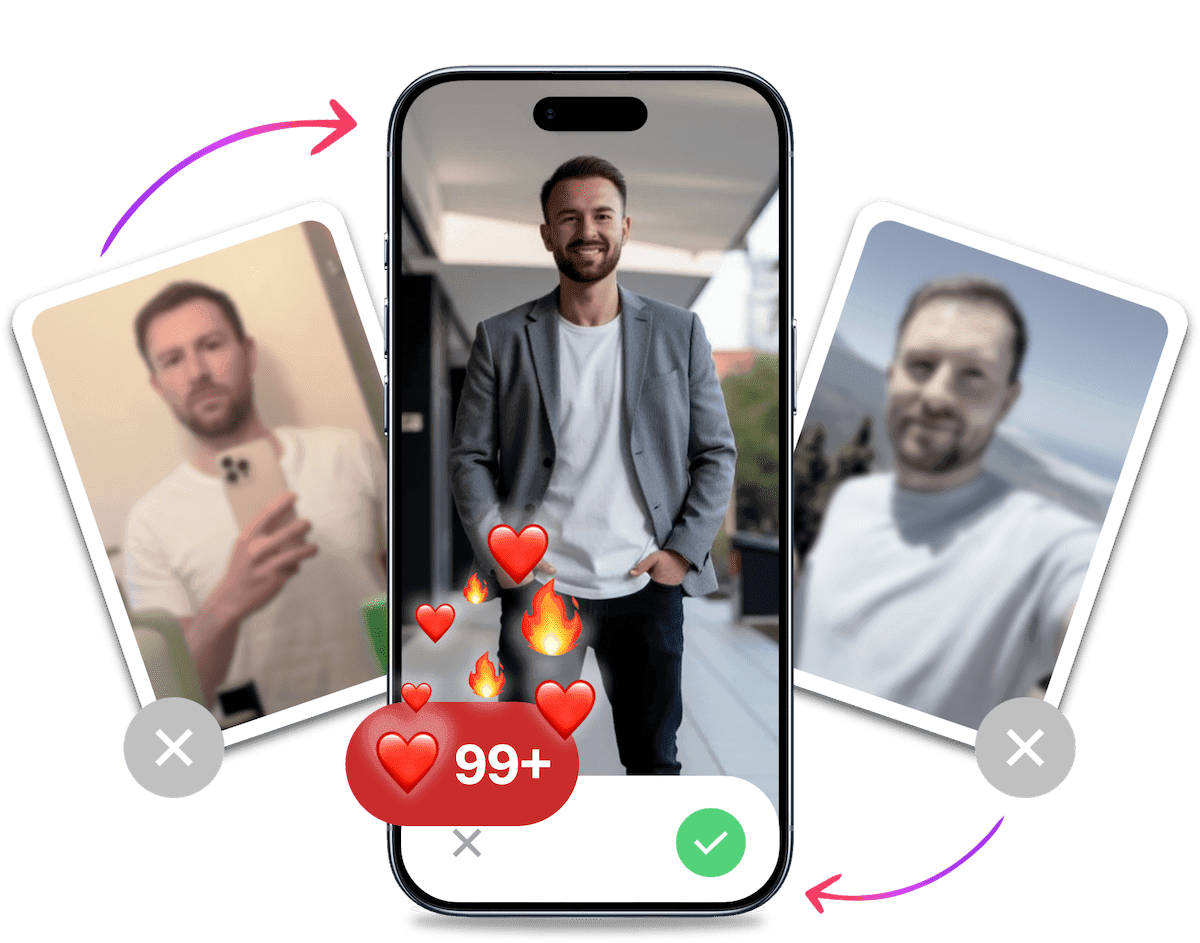
Look your best on every dating app. In 10 minutes our AI generates realistic and high-performing dating photos designed to get more likes and dates.
- Get a profile you're proud of
- Drastically increase your matches
- Turn great matches into more dates
A Clearer Signal for Other Users
Verification gives someone viewing your profile a simple signal: you have completed the check Tinder asked you to complete. That does not prove every detail about a person, but it removes one obvious question when someone is deciding whether the profile looks genuine.
No Algorithmic Shortcut
There is no published promise that a verified profile receives more reach, more likes or a better place in the swipe stack. Treat verification as a trust-and-safety step, not a ranking hack. The practical upside is straightforward: your profile shows that you followed the app's current verification flow.
Build Trust Before the Conversation Starts
People still judge a profile on its photos, bio and behaviour. A verification status can make the profile feel less anonymous, but it cannot replace a clear, current set of photos or a normal conversation. Use it as one part of a credible profile, not as a shortcut to better matches.
How UK Age Checks Affect Tinder Verification
UK age assurance and Tinder's Photo Verified flow are different things. For accounts Tinder asks to complete the age check, its Help Center says to provide at least one clear face photo. Tinder uses automated technology to estimate whether the account holder meets its minimum age requirement. That check does not turn every Photo Verification submission into an ID check.
If Tinder cannot determine your age, it may carry out a manual review or ask for additional verification, such as an ID check. Use a clear face photo for age assurance and only provide an ID when Tinder asks for it. These are extra safeguards, not a route to a universal badge.
The useful takeaway is simple. Complete the specific check Tinder presents, use readable documents only when requested and avoid guessing which requirement applies to your account. The app's live flow is more reliable than advice based on an older rollout.

How Long Does Tinder Verification Take?
Tinder photo verification can be quick, but Tinder does not publish one guaranteed review time. The process relies on video prompts, so check the status in the app after submitting and follow any new instructions. A third-party explainer notes that some users report a review window of up to two or three days, not an official service-level commitment.
What Can Delay a Review?
- Incomplete video prompts: Follow every prompt in the app before submitting. If the capture stops or the app asks you to repeat an action, restart that stage rather than trying to improvise.
- A poor live image: Use a clear, well-lit setting and clean your camera lens first. Remove sunglasses, hats and anything else that hides part of your face during the live capture.
- Profile photos that no longer resemble you: Keep your main photos recent and recognisably yours. For your profile itself, put your clearest, most recent photo first.
- Unreadable documents: If Tinder requests ID, use a valid document with every detail visible and legible. Retake the image if glare, shadows or cropping hide a field.
If the review is still pending, do not submit a different identity or create another account to force an outcome. Check Tinder for a new request, check your registered email and use support only when the in-app status remains unresolved.
How to Get Verification on Tinder
Photo Verification is the standard route for showing that your profile photos look like you. Tinder's current Help Center flow starts with a video selfie.
- Open your profile settings: Choose Photo Verification if it is available for your account.
- Take the video selfie: Follow the in-app prompts in real time, with your face clearly visible.
- Check your profile photos: Make sure at least one clear solo face photo matches your video selfie.
- Submit and check the result: Tinder awards the Photo Verified badge after the video passes its liveness check and matches your profile photos.
Age assurance and ID checks are separate. If Tinder prompts your account for age assurance, submit the requested clear face photo. Tinder may ask for an ID only when it needs additional verification.
Pro Tip: Struggling with getting good pictures for verification? Check out our guide on the Best Pictures For Tinder for tips on taking the perfect profile photos.
Getting verified on Tinder can take effort. It tells other users that you completed Tinder's current verification flow, but Tinder does not publish a promise of more visibility, more likes or better matches.
How Does Tinder Verification Work?
Tinder's Photo Verified flow asks you to complete Tinder's video prompts in the app. Match Group describes this as a video-selfie process rather than a check based on existing static photos. Start the flow from your profile settings, follow each prompt on screen and submit only when the app confirms that the capture is complete.
- Open the verification option: Go to your Tinder profile settings and choose the photo-verification route available to you.
- Follow each video prompt: Record the requested actions in real time. Do not try to reuse an old profile photo instead.
- Use clear light: Face a bright, even light source and keep your face unobstructed so the capture is easy to read.
- Review the capture before submitting: If the app offers a retake, use it when the video is blurry or poorly lit rather than sending a weak submission.
- Submit and check the app: Watch for the result or any further instruction inside Tinder. The app's status is the best guide to the next step.
If Tinder also requests an age or identity check, treat that as a separate in-app step. Use only the requested, valid document and do not assume every account will see the same route or timing.
Troubleshooting: Why Is My Tinder Verification Not Working?
Hitting a snag in the verification process is frustrating, but most issues are fixable. Here's a robust guide to troubleshooting common problems and getting your profile verified.
Common Rejection Reasons & How to Fix Them
If your verification gets rejected, it's almost always for one of these reasons.
- Poor Photo Quality: Your selfies were too dark, blurry, or your face was obscured by hats, sunglasses, or heavy shadows. The Fix: Find a spot with bright, natural light (facing a window is ideal) and take the photos again.
- Mismatched Photos: The real-time selfies you took don't look like your current profile pictures. This happens if your photos are old or heavily edited. The Fix: Update your main profile photos to be more recent and clear before trying again.
- Unclear ID Document: The image of your ID was illegible, expired, had glare on it, or the name and date of birth didn't match your profile. The Fix: Place your ID on a flat, dark surface and take a photo from directly above, ensuring there's no glare and all text is sharp.
What to Do if Your Verification is Stuck 'In Review'
Seeing the "under review" message for more than 48 hours can be worrying. This usually means your submission has been flagged for a more detailed manual check.
- Be Patient: The most important thing is not to panic. Do not delete your account or try to create a new one, as this can lead to bigger problems like a Tinder shadowban.
- Check Your Email: Tinder may contact you via your registered email if they need more information.
- Wait it Out: Manual reviews can take a few days. If it's been over a week, you can try contacting Tinder support, but often the best course is to wait.
It's Probably Your Photos.

Photos designed to get you more likes, better matches and better dates. TinderProfile.ai is trusted by 60,000+ users.
A Step-by-Step Guide to Resubmitting Successfully
If your attempt fails, don't just try the exact same thing again. Follow this checklist:
- Read the Feedback: Tinder usually provides a specific reason for the rejection. Address that issue first.
- Optimise Your Environment: Before you start, find a location with excellent, even lighting and a plain background.
- Clean Your Camera Lens: A simple smudge can ruin your photo quality. Wipe it clean.
- Prepare any requested ID: Have a valid, in-date government ID ready only when Tinder asks for additional verification.
- Repeat the video-selfie flow: Complete the current in-app prompts in real time.
- Resubmit with Confidence: Go back to the verification section in your profile settings and start the process again from scratch.
For a deeper dive into the "under review" issue, check out our specific guide on what to do when your Tinder account is under review.
Improve Your Tinder Photos After You Have Verified
Verification confirms the account holder. Your profile photos do a different job: they show people what it might be like to date you. If your photos are the problem, you can have them recreated by AI, for example at TinderProfile.ai. Once your verification is complete, choose a clear, current lead photo and refresh the rest of your profile. Keep the profile honest about how you look today, and use the photos to show a little of your real life rather than trying to imitate the verification capture. Start by avoiding the common Tinder profile mistakes that undermine trust. Do not use generated photos to establish identity or get through a safety check.
Can Tinder Verification Be Faked? The Reality of AI Detection
Let's address the elephant in the room: can you cheat the system? In short, it's extremely difficult and a very bad idea. Attempting to fake verification is a fast track to getting permanently banned from Tinder.
Tinder has invested heavily in sophisticated systems to maintain platform integrity. Here's what you're up against:
- AI Facial Recognition: For photo verification, Tinder uses advanced AI that analyzes the geometry of your face. It compares the live selfie poses with your profile pictures, detecting subtle inconsistencies that a human eye might miss.
- Document Authentication Technology: When you submit an ID, it's not just a person looking at it. The image is often scanned by software that checks for signs of tampering, verifies security features present on real IDs, and cross-references information with databases where possible.
- Behavioral Analysis: Tinder's algorithms monitor for suspicious account behavior. Trying to upload doctored images or use fake documents can trigger red flags that lead to an immediate ban.
It's always better to go the legitimate route. Use genuine photos and accurate documents for any identity or age check. TinderProfile.ai can help you improve the presentation of your dating profile after verification, not pass or speed up the verification process.
Is Getting Tinder's Blue Tick Worth It in the UK?
Verification on Tinder is more than just a blue checkmark. It's your ticket to a safer, more trustworthy, and ultimately more successful online dating experience, especially with the new rules from the UK's Online Safety Act.
Verification shows that you completed Tinder's current verification flow. It can make a profile feel less anonymous, but Tinder does not publish a promise of greater visibility, more likes or better-quality matches.
TinderProfile.ai can help you refresh the photos you use to present yourself after verification. It is not part of Tinder's identity or safety checks, and its images should not be used to pass or speed up verification.
Tinder Verification UK: Your Top Questions Answered
How does Tinder photo verification work in the UK?
Tinder photo verification uses an in-app video-selfie flow. Match Group says members complete a series of video prompts to become Photo Verified, so follow the prompts shown in your account and submit a clear live capture. It is separate from any UK age-assurance or enhanced ID request you may see.
How long does Tinder verification take?
Tinder does not publish one guaranteed verification time. Photo Verified outcomes can be quick, but the status may take longer depending on the submission and current review flow. Check the app after submitting. A third-party guide says some users see a result within two or three days, not a promised deadline.
Do I need ID verification to use Tinder in the UK?
Not every UK user follows the same verification route. Tinder's Photo Verified status uses video prompts, while UK age checks can ask for a clear facial image and enhanced identity checks may use a passport or driving licence. Follow the live in-app request instead of uploading ID when Tinder has not asked for it.
Why is my Tinder verification still under review?
An under-review status does not reveal one guaranteed cause. Check that you completed every video prompt, used clear lighting and submitted any requested document without glare or blur. Keep an eye on Tinder and your registered email for new instructions. If the status remains unresolved, contact Tinder support through the app.
Can AI-generated photos help me pass Tinder verification?
No. Do not use AI-generated photos as a way to pass an identity or age check. Tinder's photo-verification flow asks for a current video selfie, so use genuine, recent photos and follow the in-app prompts. You can separately read about whether AI photos are detectable on Tinder when improving your profile presentation after verification.
For more tips on enhancing your dating profile, check out our comprehensive guides on best tinder openers and how to Optimise your Tinder Profile. Happy swiping