



Pour relancer une conversation sur appli de rencontre, attends 24 à 48 heures, puis envoie un seul message personnalisé et léger qui rappelle un détail précis de ton échange. Si cette relance reste sans réponse, n'insiste pas. Le vrai levier, c'est souvent ton profil.
Comment relancer une conversation sur appli de rencontre
- Attends environ 24 à 48 heures avant de relancer la discussion.
- Reprends un détail précis de ton échange précédent.
- Garde un ton léger ou joueur, jamais accusateur.
- Envoie une seule relance, puis passe à autre chose s'il n'y a toujours pas de réponse.
- Si tes conversations meurent souvent, traite ton profil comme la cause racine.
Soyons honnêtes : pourquoi les conversations sur appli de rencontre s'arrêtent-elles vraiment ?
Avant de pouvoir résoudre le problème, tu dois le comprendre. La bonne nouvelle : ce n'est presque jamais personnel. La raison pour laquelle ta conversation Tinder, Bumble ou AdopteUnMec est morte est généralement l'une de ces quatre choses.
Raison 1 : Le problème du profil "peu engageant"
Penses-y. Si ton profil n'est qu'une collection de selfies flous et de photos génériques, qu'est-ce qui pourrait l'inciter à s'investir ?
Une première impression faible ne lui donne aucune raison de rester quand la discussion marque le pas. Ta personnalité est peut-être un 10/10, mais si ton profil est un 4/10, elle n'aura jamais la chance de le découvrir. C'est souvent la vraie réponse à la question "pourquoi les conversations sur appli de rencontre s'arrêtent ?".
Un profil avec de bonnes photos Tinder la rend curieuse et excitée de te parler dès le début. Si tu veux voir ce qui crée vraiment plus d'intérêt, regarde aussi ces statistiques sur les photos de profil en dating app.
Raison 2 : La concurrence écrasante
Soyons réalistes. Elle parle probablement à plusieurs personnes à la fois. Ta conversation n'est pas morte par malveillance, elle a probablement été simplement enterrée par une conversation plus engageante.
Ton travail n'est pas de t'énerver contre la concurrence. Ton travail est de te démarquer.
C'est un jeu de volume, et avoir un profil qui te met constamment en avant auprès de plus de personnes est essentiel. Apprendre comment obtenir plus de matchs sur Tinder est la moitié de la bataille.
Raison 3 : La conversation a atteint une impasse
La conversation ressemblait-elle plus à un interrogatoire ? Des questions comme "Comment s'est passé ton week-end ?" ou "Que fais-tu dans la vie ?" mènent à des réponses ennuyeuses et factuelles. Il n'y a pas d'accroche émotionnelle, pas d'étincelle, rien sur quoi construire.
Les bonnes conversations sont construites sur des échanges ludiques, des intérêts partagés et un peu d'intrigue. Quand tu ne fais qu'échanger des faits, la discussion s'essouffle. Vite. Si tu manques d'angle pour redémarrer, ces phrases d'accroche pour appli de rencontre peuvent t'aider à repartir sur quelque chose de plus vivant.
Raison 4 : La vie s'est simplement interposée
Parfois, l'explication la plus simple est la bonne. Elle a été débordée au travail, une notification a été manquée, son chien est tombé malade, ou elle a simplement oublié de répondre.
Cela arrive à tout le monde. Dans ces cas, reprendre contact est souvent juste une question de simple relance, sans pression, pour revenir sur son radar.
Avant d'envoyer ce message de relance, demande-toi : mon profil invite-t-il à la conversation, ou me fait-il ressembler à un visage parmi tant d'autres ? La meilleure façon de relancer une conversation est d'avoir un profil inoubliable dès le départ.
Un audit de profil de rencontre te montre vite si le vrai problème vient du message ou de l'impression que ton profil laisse avant même le premier échange.
Montre-toi sous ton meilleur jour sur toutes les apps de dating. En 10 minutes, notre IA génère des photos réalistes et performantes conçues pour obtenir plus de likes et de dates.
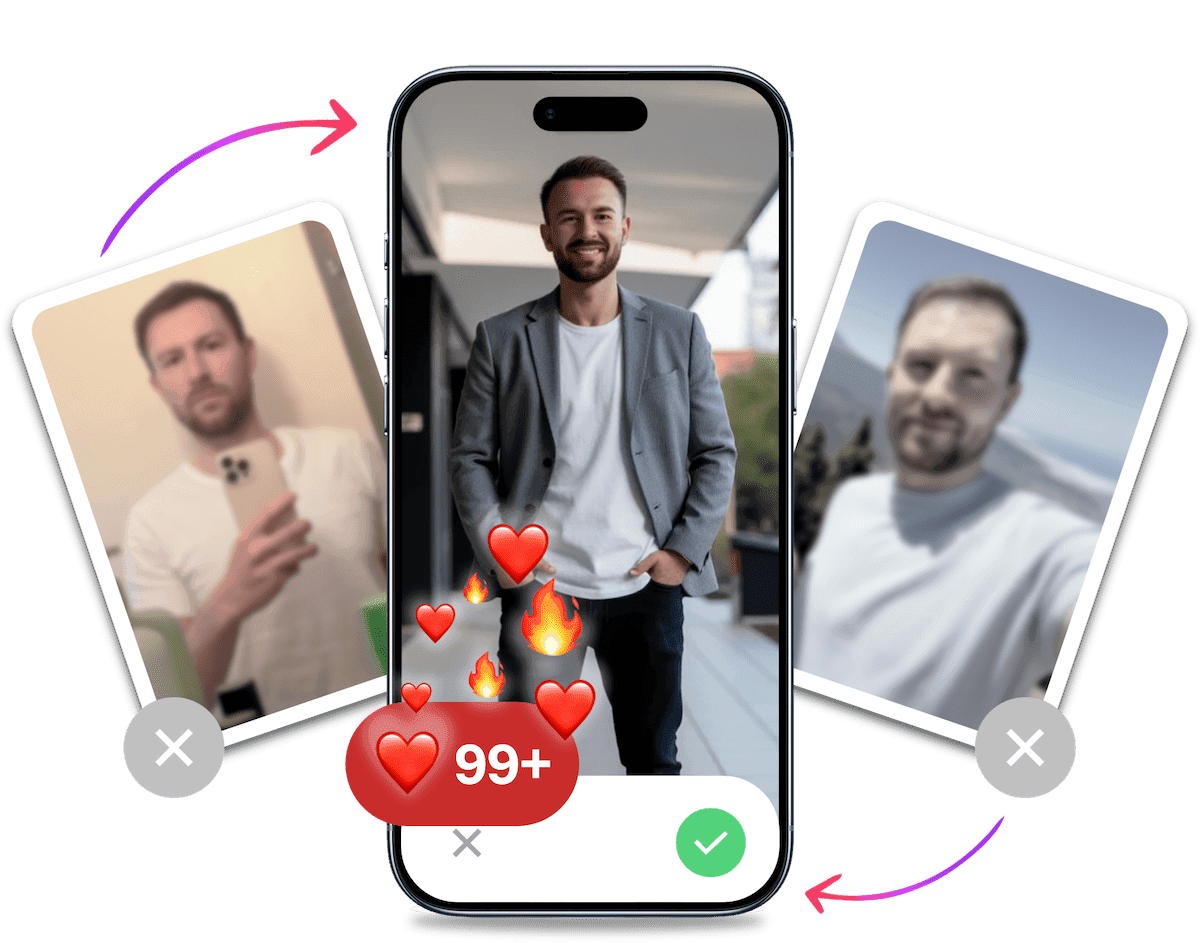
- Un profil dont tu es fier
- Augmente drastiquement tes matchs
- Transforme les bons matchs en plus de dates
Comment relancer une conversation sur appli de rencontre : 5 messages qui marchent
Tu n'as pas besoin d'envoyer un pavé ni de jouer au plus malin. Le bon message dépend surtout de ce qui a bloqué la discussion. Voici cinq options simples à tester, avec le moment où chacune fonctionne le mieux et des exemples que tu peux reprendre tels quels.
Envoie un rappel personnalisé quand tu avais déjà un bon échange
Le rappel personnalisé fonctionne quand la conversation était agréable mais s'est arrêtée sans vraie raison. Tu repars d'un détail précis déjà partagé, donc le message sonne naturel au lieu de ressembler à une relance copiée-collée. C'est souvent la façon la plus simple d'obtenir une réponse sans créer de pression.
Exemples à copier-coller :
- "Salut, j'étais justement à [Nom du café] et ça m'a fait penser à toi qui disais être accro au latte. Tu as déjà goûté leur version au lait d'avoine ?"
- "Toujours en train de te remettre de la fin de [Nom de la série TV] ? Il faut absolument que je discute de ce rebondissement avec quelqu'un."
- "Mon chien vient de faire exactement la chose bizarre que tu as mentionnée que le tien faisait. Maintenant, je dois voir une photo de ce supposé jumeau."
Envoie un message drôle si tu veux relancer sans paraître lourd
Le message drôle qui taquine un peu marche bien quand tu veux signaler le silence sans tomber dans le reproche. Un ton léger détend l'échange, montre que tu ne prends pas la situation trop au sérieux et donne une ouverture facile pour répondre. Si ton humour passe bien, la conversation repart souvent plus vite qu'avec une question banale.
Exemples à copier-coller :
- "Bon, je dois supposer que ton téléphone est tombé dans un volcan. C'est le bon moment pour envoyer une équipe de sauvetage ?"
- "Est-ce notre première dispute ? Je suis prêt à admettre que j'avais tort si tu l'es aussi."
- "Je te pardonne de m'avoir ghosté si tu peux me dire la meilleure pizzeria de la ville. À toi de jouer."
Envoie un GIF ou un mème quand tu veux une relance sans effort
Le GIF ou le mème est utile si tu veux remettre un peu d'énergie sans demander un gros effort en face. C'est une relance visuelle, rapide à lire et facile à commenter. Sur les applis de rencontre, ce format marche surtout quand l'échange avait déjà une vibe légère et que tu veux la retrouver.
Exemples :
- Envoie un GIF d'une boule de foin qui roule avec la légende : "Cette discussion en ce moment."
- Utilise un GIF d'un squelette attendant près du téléphone. Légende : "Moi, attendant que les échanges spirituels reprennent."
- Trouve un mème lié à quelque chose dont tu as parlé plus tôt (une série TV, un hobby) et envoie-le sans contexte.
Propose de passer aux SMS si l'échange était déjà fluide
Le passage aux SMS est pertinent quand la conversation avançait bien mais s'est perdue dans le bruit de l'appli. Tu montres une intention claire et tu simplifies la suite. Cette option fonctionne surtout si l'intérêt mutuel était déjà visible, sinon elle peut paraître trop directe.
Exemples à copier-coller :
- "Tu sais, je suis le pire pour vérifier cette appli. La conversation était trop bonne pour la laisser se perdre dans le désordre. Et si on passait aux SMS ? Mon numéro est le [Ton numéro]."
- "J'ai le sentiment que nos échanges par SMS seraient bien plus forts que notre jeu sur appli. Envie de tester cette théorie ?"
- "Je suis sur le point de supprimer cette appli, mais je m'en voudrais si je n'avais pas ton numéro avant. C'est quoi ?"
Pose une nouvelle question si la conversation est retombée à plat
La question de relance totalement neuve est la meilleure option quand ton ancien sujet n'a plus de jus. Tu changes d'angle au lieu de forcer la discussion précédente, ce qui recrée de la curiosité. Le plus simple est d'utiliser une question légère, concrète et facile à répondre en une phrase.
Exemples à copier-coller :
- "Question importante : quel est le snack de voyage le plus sous-estimé ?"
- "Bon, j'ai besoin de ton aide pour trancher un débat : un hot-dog est-il un sandwich ?"
- "Pensée aléatoire : si tu devais choisir une chanson thème qui joue chaque fois que tu entres dans une pièce, quelle serait-elle ?"
Utiliser un mélange de questions amusantes et engageantes à poser sur une appli de rencontre est un moyen puissant de maintenir la fraîcheur.
C'est probablement tes photos.


Nos utilisateurs obtiennent en moyenne 8x plus de swipes à droite avec nos photos IA. Arrête de perdre du temps sur les apps de dating et rejoins les 60 000+ célibataires qui ont déjà trouvé de meilleures dates avec TinderProfile.ai.
La règle d'or : quand laisser une conversation morte le rester
Savoir comment relancer une conversation sur appli de rencontre est une compétence, mais savoir quand abandonner l'est aussi. Courir après quelqu'un qui n'est pas intéressé est une perte de temps et d'énergie. Il est important de savoir quand couper les ponts.
La répondeuse en un mot
Si tu envoies un message réfléchi et engageant et qu'elle répond par "lol", "oui" ou "cool", elle n'est pas intéressée. Elle te donne le strict minimum pour être polie (ou peut-être juste par ennui). Ton énergie est mieux dépensée sur quelqu'un qui correspond à tes efforts.
Après l'échec de la deuxième tentative
Tu as droit à un seul message de relance. Un seul. Si ton message de relance, ton rappel personnalisé parfaitement élaboré ou ton GIF hilarant, est accueilli par plus de silence, c'est fini. Passe à autre chose. Sérieusement. Savoir quand envoyer un double message est crucial, et un deuxième message sans réponse est un signal clair d'arrêter.
Poursuivre quelqu'un n'est pas attirant.
Tu fais tout le travail
Jette un œil à l'historique de la discussion. Es-tu le seul à poser des questions ? Es-tu le seul à faire avancer la conversation ? Si oui, ce n'est pas une conversation, c'est un interrogatoire, et tu es l'hôte. Une connexion est une voie à double sens. Trouve quelqu'un prêt à te rencontrer à mi-chemin.
Reconnaître ces signaux d'alarme du dating en ligne tôt te fera gagner beaucoup de temps et de frustration.
La solution ultime : créer un profil qui prévient les conversations mortes
Voici la stratégie pro. Relancer les discussions est une compétence utile, mais ne pas avoir à le faire est la vraie victoire. La solution ultime est de construire un profil si irrésistible que les conversations meurent rarement en premier lieu. Tu veux prévenir le problème, pas seulement traiter les symptômes.
Éviter les erreurs courantes de profil de rencontre que les hommes font est l'étape la plus puissante que tu puisses franchir.
Tes photos sont tes accroches
Tes photos font le gros du travail. Elles sont la première, et souvent la seule, chose qu'elle voit. Une photo de toi en train de faire de l'escalade, de rire avec des amis dans un bar sympa, ou de jouer de la guitare n'est pas juste une photo. C'est un déclencheur de conversation intégré.
Elle posera des questions sur le voyage. Elle demandera quelle chanson tu joues. Les photos font le travail pour toi.
De "générique" à "intriguant"
Comparons. Un selfie flou dans ta voiture est complètement oubliable. Il ne dit rien de toi et se fond dans un millier d'autres profils.
Maintenant, imagine une photo de haute qualité, d'apparence naturelle en extérieur ou une photo élégante de toi dans un café branché. Ces images créent un sentiment immédiat de personnalité, de style de vie et d'intrigue. Elles lui donnent envie de te parler. Elles la rendent investie dès le premier swipe.
Utiliser les photos de rencontre générées par IA est le moyen le plus rapide de combler cet écart sans les tracas ni les dépenses d'une séance photo professionnelle.
L'avantage TinderProfile.ai : des résultats authentiques, d'une simplicité enfantine
De meilleures photos facilitent aussi les relances parce qu'elles créent plus d'accroches concrètes dès le départ. Quand ton profil montre des scènes nettes, variées et naturelles, l'autre personne a plus de matière pour démarrer, reprendre ou prolonger une conversation.
Avec TinderProfile.ai, tu peux refaire ton profil en 10 minutes à partir de tes photos existantes. Les utilisateurs reçoivent en moyenne 3x à 8x plus de matchs et 7.9x plus de premiers messages. Ce sont exactement les signaux qui rendent les conversations plus faciles à lancer, puis à relancer quand elles ralentissent.
Le point clé reste simple. Si tes discussions meurent souvent, ne regarde pas seulement le texte que tu envoies. Améliore aussi le profil qui doit donner envie de répondre dès le premier swipe.
Conclusion : Arrête de sauver les conversations, commence à les inspirer
Tu sais maintenant quoi envoyer, quand l'envoyer et quand arrêter. Une bonne relance peut sauver une discussion, mais le meilleur système reste un profil qui donne envie de répondre dès le début et qui crée plus d'accroches naturelles dans l'échange.
Investir dans de meilleures photos te fait gagner du temps et réduit la frustration. C'est aussi le moyen le plus direct d'avoir plus de matchs, plus de premiers messages et moins de conversations à ranimer.
Prêt(e) à arrêter de relancer les discussions mortes et à avoir des conversations qui mènent à des rendez-vous ?
Transforme ton profil en quelques minutes avec des dizaines de photos de haute qualité, générées par IA, conçues pour te donner plus de matchs et de meilleures conversations.
Améliore ton profil avec TinderProfile.ai
Foire aux questions sur la relance d'une conversation sur appli de rencontre
Combien de temps faut-il attendre avant de relancer une conversation ?
Attends en général 24 à 48 heures avant d'envoyer une relance. Ce délai laisse à l'autre personne le temps de répondre si elle était simplement occupée, sans que ton message paraisse impatient. Si tu relances trop vite, tu ajoutes de la pression. Si tu attends trop longtemps, la discussion devient plus dure à récupérer.
Est-il acceptable d'envoyer un double message après un silence ?
Oui, mais une seule fois. Un message de relance bien choisi montre que tu es encore intéressé sans tomber dans l'insistance. En revanche, si cette relance reste sans réponse, n'envoie pas un troisième message. À ce stade, tu n'essaies plus de rouvrir la conversation. Tu poursuis quelqu'un qui ne s'investit pas.
Quelle est la plus grande erreur quand une conversation meurt ?
La pire erreur est d'envoyer un message passif-agressif ou accusateur. Un "?" ou un "Je suppose que tu n'es pas intéressée" met l'autre personne sur la défensive et coupe toute chance de repartir sur une bonne vibe. Garde toujours un ton léger, clair et facile à recevoir.
Est-ce que ces relances fonctionnent aussi sur Bumble ?
Oui, les mêmes principes fonctionnent aussi sur Bumble. Même si la femme doit envoyer le premier message, tu peux utiliser les mêmes types de relance une fois que la conversation existe déjà et qu'elle s'essouffle. Si l'intérêt était réel au début, une reprise légère marche souvent très bien.
Que faire si la personne répond mais que la conversation retombe tout de suite ?
Change d'angle tout de suite au lieu de rester sur le sujet qui s'essouffle. Repars avec une question plus concrète, plus légère ou plus personnelle, idéalement liée à son profil ou à un détail déjà évoqué. Si même avec ce nouvel angle les réponses restent molles, prends-le comme un signal et passe à autre chose.