



Bumble Notes (formerly called Compliments) are short pre-match messages of up to 150 characters about a profile photo, prompt, shared interest, or something you admire. The recipient sees your Note when your profile appears in their People tab. A Note does not open a chat. You still need to match before you can exchange messages.
How Bumble Notes Work: Key Facts
- Bumble now calls the former Compliments feature Notes. Each Note can contain up to 150 characters.
- A recipient sees your Note when your profile appears in their People tab. If you match, the Note counts as your opening message.
- Premium+ includes two Notes per week, and you can also buy Notes separately. Unused weekly Premium+ Notes expire and replenish on the weekday you first purchased the subscription.
- Bumble recommends specific, positive, respectful Notes. A Note does not guarantee a match.
Understanding How Bumble Notes Work
Bumble calls its former Compliments feature Notes. You can write about a profile photo, prompt answer, shared interest, or something you admire. Bumble describes Notes as friendly messages sent before a match, intended to spark positive interactions. Bumble Notes (formerly Compliments) are limited to 150 characters.

How to Send Your First Bumble Note
To send a Note, open the member's profile and follow Bumble's current steps:
- Open the member's profile.
- Tap the heart-in-a-speech-bubble icon or "Send a Note." It may appear on the profile or beside a specific photo or prompt.
- Choose a photo or prompt to respond to, or write your own short message.
- Review the Note to make sure it says what you mean.
- Send it.
A Note does not start a chat. You still need to match before you can exchange messages. After a match, the Note counts as your opening message. Bumble gives each person 72 hours from the match to send an opening message. Once one person sends theirs, the other has 72 hours to reply. If neither sends a message within 72 hours, the match expires. Opening Moves are no longer part of Bumble's experience. See Bumble's current opening-message rules.
Look your best on every dating app. In 10 minutes our AI creates realistic dating photos designed to get you more likes, better matches and better dates.
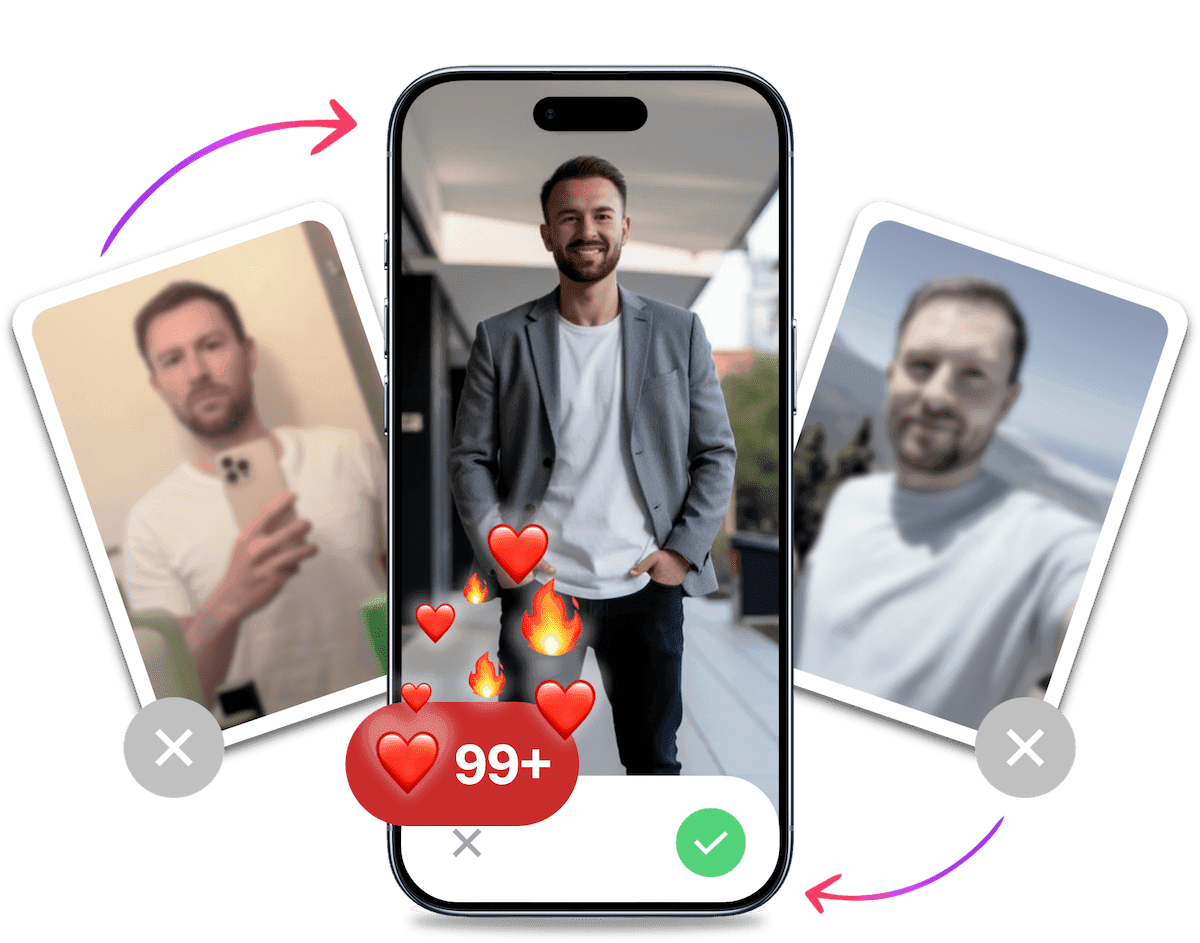
- Get a profile you're proud of
- Proven to increase matches on dating apps
- Turn great matches into more dates
A specific detail gives your message somewhere to go. If you're stuck, our guide to Bumble opening lines has ideas you can adapt for a Note.
Bumble Note Character Limit and Visibility
How Long Can a Bumble Note Be?
Bumble limits Notes to 150 characters. Keep yours focused on one profile detail. Bumble's Notes guide recommends a short message of a sentence or two.
The video below shows Bumble's older Compliments interface. Bumble's current Notes guide explains how to send one.

When Does Someone See Your Bumble Note?
The recipient can see your Note when your profile appears in their People tab. Bumble also lists a Notes filter on the Liked You page for people who sent a Note before matching. Premium is required to see everyone who has liked you. See Bumble's Liked You Notes filter.
How Many Bumble Notes Do You Get, and Can You Buy More?
Bumble's current help pages list two Notes per week with Premium+ and do not give a universal free-user allowance. Premium and Premium+ are different plans. The two included Notes are listed under Premium+. Unused weekly Premium+ Notes expire and replenish on the weekday the original subscription was purchased. Bumble also says you can purchase Notes separately if you don't have Premium+.
These rules cover the included weekly allowance and the separate-purchase option. The support pages don't list fixed prices, pack sizes, an exact reset hour, or whether separately purchased Notes expire. Check the offer in your Bumble app for availability and current pricing. The weekday for the weekly refresh depends on when the original subscription was purchased, not a universal day of the week. For the broader plan differences, read Bumble's paid-features guide or our guide to whether Bumble Premium is worth it.
Are Bumble Notes Worth It?
A Bumble Note lets you send a short, profile-specific message before matching. Bumble says Notes are meant to spark positive interactions and help members build genuine connections, but its current guidance does not quantify an increase in matches or conversations. A Note still does not let you chat without a match. Bumble's Notes guide explains the feature and its purpose.
When Bumble Notes Can Backfire
A Note can fall flat if it comes across as generic, overly physical, or insincere. Here are a few approaches to avoid:
- It's Generic: A compliment like "Hey beautiful" or "Nice profile" shows zero effort and will likely be ignored. It screams that you're just mass-messaging.
- It's Overly Physical: Jumping straight to comments about someone's body can come across as creepy or objectifying, especially as a first impression.
- It's Insincere: Over-the-top flattery or praise that doesn't feel genuine can be an immediate turn-off. Authenticity is key.
- Your Profile is Weak: If you send a great compliment but your own profile has blurry photos and a lazy bio, it creates a mismatch that undermines your effort. Your profile needs to back up your great opener.
A Note works best when it fits the profile detail you chose and stays within the recipient's boundaries.
Bumble Note Examples for Photos, Interests, and Prompts
These examples use a detail from someone's profile to make a Note specific and easy to answer. Keep the message about something you genuinely noticed.
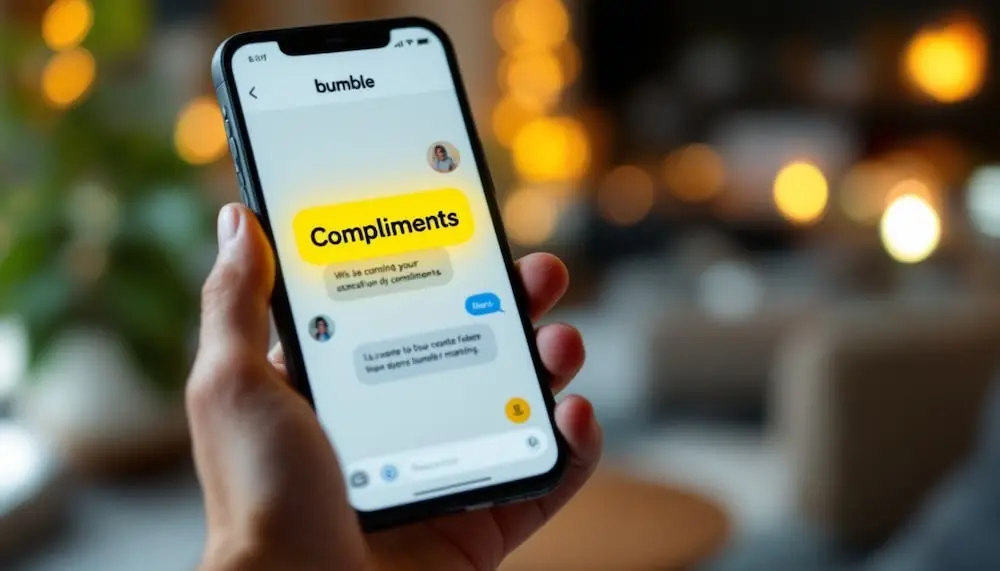
The interface image below shows an older version of Bumble's Compliments feature. The current feature is called Notes.
Profile-Specific Notes
A profile-specific Note makes clear what you're responding to. Look for a detail you genuinely want to ask about or discuss. When writing one, focus on:
- Unique hobbies or interests they've mentioned
- Travel experiences they've shared
- Career achievements or passions they've highlighted
- Values or beliefs they've expressed
- Specific prompt responses that resonated with you
For example, instead of saying "You have a great profile," try something like: "Your hiking photo at Glacier National Park is stunning! That's been on my bucket list for years. Did you do the Hidden Lake trail?"
This approach shows genuine interest and provides a natural conversation starter. It also demonstrates that you're paying attention to who they are as a person, not just their appearance.
Get specific... Non-generic compliments work better. Look over their profile for something that resonates with you. Ask yourself: what's the reason you're swiping right? Then tell them exactly what it is you like about them.
Notes About Shared Interests
When you notice shared interests or passions in someone's profile, highlighting these connections can create an immediate sense of rapport. Here are some effective examples based on common interests:
For music enthusiasts: "Radiohead and Lizzo on the same playlist? I'd follow it. Have you seen either of them live?"
For book lovers: "Fellow Murakami fan spotted! 'Kafka on the Shore' changed how I see the world. Which of his books hit you the hardest?"
For travelers: "Your photo in Kyoto's bamboo forest brought back memories! That place feels magical at sunrise. Did you explore the monkey park nearby?"
For foodies: "Your ramen-making skills look professional! I've been trying to perfect my broth for months. Any secret ingredients you're willing to share?"
For fitness enthusiasts: "Impressed by your marathon medal! I'm training for my first half this spring. Any training tips for a newbie?"
These examples are useful because they:
- Acknowledge a specific interest
- Share something about yourself related to that interest
- End with an open question that invites response
Photo Notes That Show More Than Appearance
While physical compliments are common, they often fall flat because they focus solely on appearance rather than the person behind the photos. Here's how to compliment photos in a more meaningful way:
- Instead of: "You're gorgeous!"
- Try: "Your smile in that sunset photo is contagious! Looks like an amazing day. Where was that taken?"
- Instead of: "Nice abs!"
- Try: "Your rock climbing photo is impressive! That looks like a challenging route. How long have you been climbing?"
- Instead of: "Cute dog!"
- Try: "Your golden retriever has the same mischievous look mine does! Is yours also an expert at stealing socks?"
It's Probably Your Photos.

Photos designed to get you more likes, better matches and better dates. TinderProfile.ai is trusted by 60,000+ users.
The key difference is that these compliments acknowledge something in the photo but then expand beyond mere appearance to express interest in the story, experience, or personality it reveals.
Effective photo compliments:
- Notice details beyond physical appearance
- Show curiosity about the context or story
- Demonstrate that you see them as a whole person
- Provide an easy opening for them to respond
Having great photos to receive compliments on is equally important. Consider checking out our guide on dating profile pictures to optimize your own profile.
Common Mistakes to Avoid When Sending Bumble Notes
Some first messages can come across as impersonal or uncomfortable, even when you mean well. These are the approaches to avoid.
Generic Compliments: What Not to Say
A generic message gives the recipient no profile detail to respond to. These examples could be sent to anyone:
❌ "Hey beautiful"
❌ "Nice profile"
❌ "You seem cool"
❌ "Great pics"
❌ "You're not like other people on here"
These messages do not show what caught your attention or give the other person much to respond to.
Instead, focus on specific, personalized observations:
✅ "Your photo playing violin at sunset is beautiful! Classical musician or just for fun?"
✅ "Your take on that controversial book in your profile is fascinating. I've never thought about it that way before"
✅ "The joy on your face while skydiving is contagious! Was that your first jump?"
The difference is clear. Specific compliments show you've taken time to notice details about them as an individual.
When someone sends a generic "hey" to you, you might struggle with how to respond. The same principle applies to generic compliments. For tips on handling basic openers, check out our guide on how to respond to hey.
Avoiding Red Flags: Bumble Note Etiquette
Certain types of compliments can raise immediate red flags, regardless of your intentions. Avoid these approaches to prevent being immediately dismissed:
- Overly sexual or physical comments: Even if you find someone extremely attractive, explicit comments about their body are inappropriate as first contact
- Backhanded compliments: Statements like "You're pretty smart for a..." or "You look good despite..." are never well-received
- Excessive flattery: Over-the-top praise comes across as insincere and can make people uncomfortable
- Comparing to others: "You're not like other men/women" or "You're better than most people here" often backfires
- Presumptuous statements: Assuming someone's personality or making declarations about "your future together" comes across as intense
Remember that your compliment is often your first impression.
Bumble recommends making Notes specific, positive, brief, and respectful, and says they should make the recipient feel good. See Bumble's Notes guidance.
A good rule of thumb is to ask yourself: "Would I be comfortable saying this to someone in person within the first minute of meeting them?" If not, reconsider your approach.
Make Your Bumble Profile Easier to Respond To
Clear photos, specific interests, and thoughtful prompt answers give someone a real detail to ask about or mention in a Note.
Choose Photos With Conversation Details
Choose photos that make it easy for someone to see who you are and notice something specific:
- Lead with a clear, high-quality headshot: Your main photo should clearly show your face without sunglasses or filters
- Include full-body shots: Provide a complete picture of yourself in flattering but honest images
- Showcase your interests: Include photos of you engaged in hobbies or activities you enjoy
- Demonstrate personality: Photos that show you laughing or expressing emotion create a connection
- Avoid group shots as your main photo: Make it easy for viewers to identify you
- Include conversation starters: Photos in interesting locations or doing unusual activities invite questions
The key is creating visual content that gives potential matches something specific to comment on. A photo of you at a recognizable landmark, participating in an interesting activity, or showcasing a unique talent provides an easy opening for a compliment.
For example, a photo of you cooking an elaborate meal might prompt compliments about your culinary skills, while a picture from a hiking trip could inspire questions about your outdoor adventures.
How TinderProfile.ai Can Help With Dating Profile Photos
If you need fresh dating-profile images, TinderProfile.ai creates them from photos you already have. US one-time packages include Like with 20 images for $14, Match with 60 for $29, and Super Like with 100 for $39. After payment, model training takes 5 to 10 minutes, and your images are delivered when they're ready.
Writing Prompts That Invite Thoughtful Notes
Beyond photos, specific writing gives someone another detail to respond to. Use Bumble's prompts to add personality and invite a conversation:
- Be specific about your interests: Instead of "I like music," try "Currently obsessed with 90s trip-hop and Japanese city pop"
- Share unique perspectives: Offer thoughtful takes on topics you care about
- Use humor strategically: Showcase your sense of humor in ways that invite others to engage
- Ask implicit questions: Statements like "Trying to find the best ramen in the city" naturally invite recommendations
- Show vulnerability: Sharing something slightly vulnerable demonstrates authenticity
- Highlight unique experiences: Mention unusual experiences that might spark curiosity
For example, instead of the generic prompt response "I love traveling," you might write "Ask me about the time I accidentally joined a wedding procession in Marrakech." This specific anecdote naturally invites questions and compliments about your adventurous spirit.
Similarly, a prompt response like "Currently debating whether pineapple belongs on pizza (it absolutely does)" creates an easy opening for playful debate and engagement.
The goal is to give someone a few real details they can ask about or mention in a Note.
Bumble also offers a profile-text feedback tool that reviews bios and profile answers and may suggest ways to better communicate your personality and interests. For more ideas, see our Bumble profile guide or our guide to an AI dating profile bio generator.
Final Thoughts on Bumble Notes
Bumble now calls its former Compliments feature Notes. You can send one before matching, up to 150 characters, but a match is still required before you can exchange messages. Premium+ includes two Notes each week. Unused weekly Premium+ Notes expire and replenish on the weekday the original subscription was purchased, and separate purchases are available in the app. Keep yours specific, positive, brief, and respectful. Pick one detail you genuinely noticed, then write a simple question the other person can answer.
Bumble Notes (Formerly Compliments): Common Questions
How many Notes can I send each week on Bumble?
Bumble lists two Notes per week as a Premium+ benefit. That allowance belongs to Premium+, not the separate Premium plan. Its current help pages don't specify a universal free-user allotment, so check the Notes option in your account if you're not a Premium+ member.
When do Bumble Premium+ Notes reset?
Unused weekly Premium+ Notes expire and replenish on the weekday you originally purchased your subscription, according to Bumble. The help page doesn't specify a reset hour. This rule applies to the weekly Notes included with Premium+. Bumble's pages don't say whether separately purchased Notes expire.
Can I buy Bumble Notes without Premium+?
Yes. Bumble says you can purchase Notes separately if you don't have Premium+. The current help pages don't list a fixed price or pack size, and they don't say whether separately purchased Notes expire. Check the offer shown in your app for availability and current pricing.
When does someone see a Note I sent on Bumble?
Bumble says the recipient can see your Note when your profile appears in their People tab. Separately, the Liked You page has a Notes filter for members who sent a Note before matching. Premium is required to see everyone who has liked you. See Bumble's current Liked You guide for how that filter works.
Does a Bumble Note start a chat?
No. A Note doesn't start a chat. You and the recipient must match first. After a match, Bumble counts the Note as your opening message. Both members have 72 hours from matching to send an opening message, and after one person sends theirs, the other has 72 hours to reply. Opening Moves are no longer part of the experience.